


Overview
This blog will walk you through how to create an effective MQL to SQL process using HubSpot Lifecycle Stages. It covers how to define MQL and SQL criteria, map lifecycle stages, automate transitions and track progression. It also discusses how Marketing and Sales can get on the same page with qualification and handoff rules.
A lead that is highly engaged does not have to be a sales-qualified lead. Engagement can mean that the prospective customer is downloading your ebook or visiting your pricing page but has no intention of making a purchase.The challenge is to determine when engagement has risen to a sufficient level for allowing the transition of a potential client from Marketing to Sales.
Though HubSpot's lifecycle stages offer a way to control the phases of customers, they alone cannot be considered a qualification plan.In order to make them useful, marketing and sales teams should decide together what each phase means and how to monitor transitions between the stages.
As such, it is important to ensure that the MQL-to-SQL process runs smoothly through the three major steps: creating the stages, implementing the automation of the transitions, and studying the results.
What do you think it takes to create an efficient MQL-to-SQL process in HubSpot?
Define Your MQL and SQL Criteria in HubSpot
The initial stage involves defining the meaning of MQL and SQL concerning your company.
It is commonly believed that a marketing qualified lead (MQL) might be simply said to be one who has demonstrated an adequate level of interest in a product or service to be considered to be qualified by the Sales department.
This definition may vary across organizations. For example, in the software industry (especially in B2B), the definition of MQL might mean that a person meets the profile of an ideal customer and has either requested a demo or achieved a certain level of engagement.
SQL holds a higher position than MQL. The Sales team has evaluated the contact to decide whether or not he represents a good candidate for a sales pitch.
Suppose an individual downloads two ebooks for the sake of this example and keeps checking the pricing page. In this case, all activities contribute to increasing the prospect's MQL score. But if this person is a student researching the market, bringing them to the SQL stage will only cost resources for the Sales team.
Thus, it is vital to consider the fitting of MQL standards with respect to fit and intent and engagement.
For instance, an MQL may be determined for a company as one whose contact is deemed to be fitting the company’s ideal customer profile and reaches a specific level of engagement or lead score. The contact will be classified as SQL only after confirming the presence of actual business need and possibility of selling.
It is important to remember that the criteria will vary depending on the company and the main thing is to reach a unanimous consensus between Marketing and Sales about the criteria.
Map HubSpot Lifecycle Stages Before Building Workflows
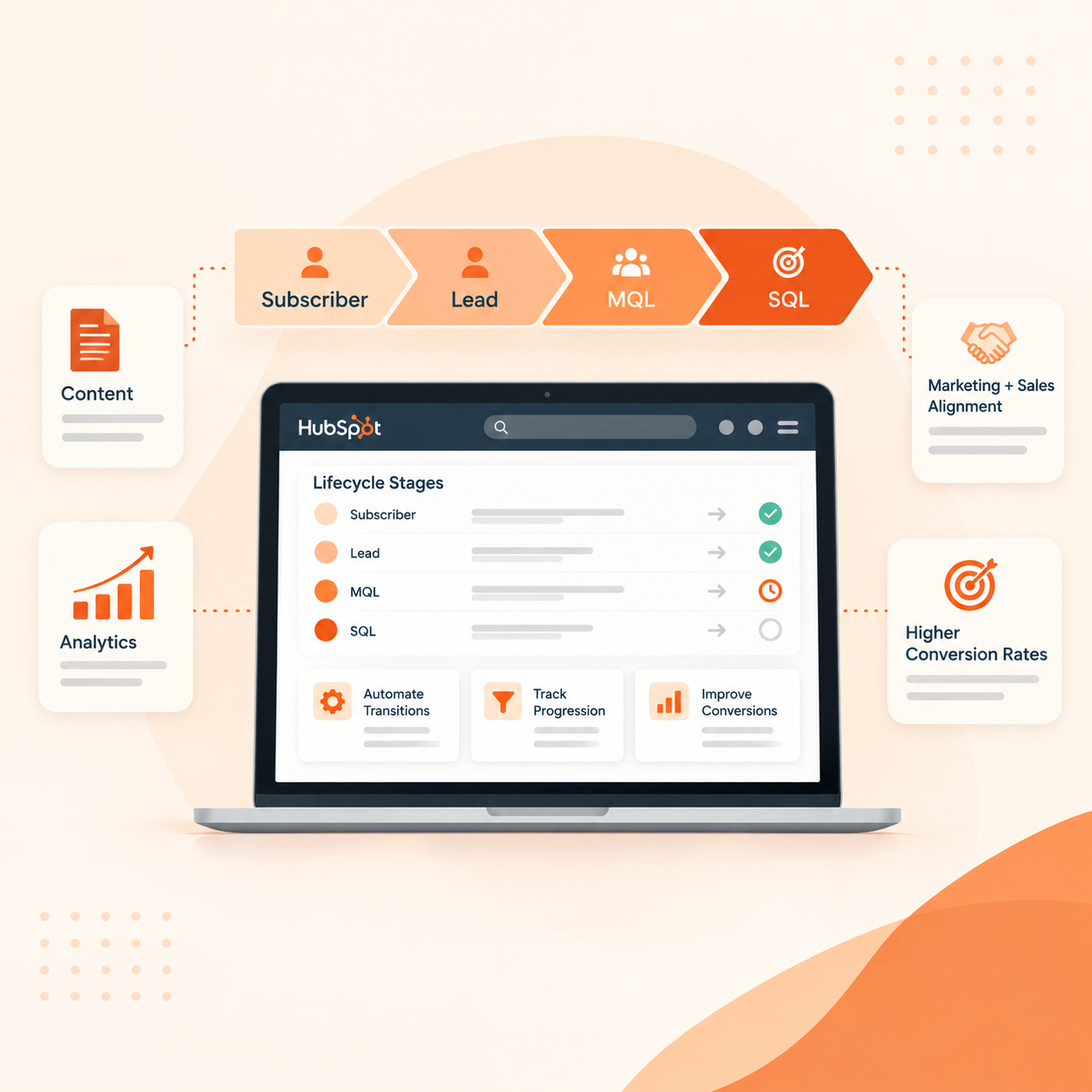
HubSpot has defined lifecycle stages such as Lead, Marketing Qualified Lead, Sales Qualified Lead, Opportunity, and Customer. The most important thing is figuring out how to implement these stages in one’s sales process.
A frequent practice is as follows:
Lead → MQL → SQL → Opportunity → Customer
A controlled trigger should define each change.
For instance:
- Lead → MQL: The contact meets the needs of target and performance agreements.
- MQL → SQL: Sales assesses the contact and verifies that it meets the qualification standards.
- SQL → Opportunity: A serious selling opportunity is found.
- Opportunity → Customer: The deal is made.
It is not necessary that each MQL will change into an SQL. In the case when these two terms are mistaken for synonyms, an SQL may turn out to be meaningless and Sales will receive prospects interested in the product but without required qualification.
Another important aspect is that the lifecycle stage is different from Lead Status. While a lifecycle stage answers the question of the customers’ position in the overall customer journey, a Lead Status provides Sales with information about the customer's current follow-up.
Automate HubSpot Lifecycle Stages and Transitions
After the definitions are finalized and found fit for use, they will enter HubSpot.
To illustrate, the MQL is defined in such a way that the contact acts with a great deal of motivation and receives a lead score of 50 or higher and complies with the standards for the ideal customer. The above parameters make it possible to designate the contact as belonging to the "MQL" stage in the lifecycle.
The transfer to SQL can remain an independent stage. The sales department will check MQL and will determine if the contact meets the required qualification terms before transitioning the lead to SQL stage.
The resulting process might look like:
Marketing qualification → MQL → Sales evaluation → SQL
This method keeps a crucial qualification decision in the hands of sales while automating repetitive chores.
In HubSpot, Lifecycle stage workflows must specify rules for transitions. When multiple workflows modify the same stage in the lifecycle process, there is a possibility that the contact can move down the funnel unintentionally. It is important to specify the rules for every transition and the further steps that should be taken when it is found out that the contact does not qualify before putting workflows into practice.
For example, there must be a decision made concerning the MQL that was rejected by the sales department. The process should be cleared out whether the rejected MQL should go back to being nurtured MQL, retain its MQL status for improvement, or be marked as unqualified.
Track MQL-to-SQL Progression in HubSpot
Producing MQLs is merely part of the equation. A more productive question is what happens with the generated MQLs.
Your HubSpot analytics can show you:
- Number of MQLs
- Number of SQLs
- MQL-to-SQL conversion percentage
- Time taken to convert an MQL into an SQL
- Conversion metrics by source or campaign
- Number of contacts in each stage of the sales process
These indicators can be used to find issues that a MQL count alone will overlook.
Let’s say a campaign produces 500 MQLs, but only 20 of those turn into SQLs. The 4% conversion rate could be a sign of issues with sales follow-up, qualifying requirements, or targeting.
Next, we address a different case. The MQL to SQL process has been successful, but there is a delay in the time it takes for MQLs to become SQLs.
To help teams know when contacts move into specific lifecycle stages, HubSpot has lifecycle stage properties that allow the monitoring of duration of time in a given lifecycle stage. This makes it easy to pinpoint the areas where contacts are being delayed or stuck.
Align Marketing and Sales on the Handoff
Automation won't resolve a qualification procedure that is seen differently by sales and marketing.
Before putting HubSpot Lifecycle automation into practice, Marketing and Sales should agree on four key areas:
1. MQL criteria
Which combination of intent, engagement, and fit makes a contact eligible?
2. SQL criteria
Before accepting the lead, what needs to be confirmed by sales?
3. Accountability and follow-up
Who is the contact’s owner, and when should they take action?
4. Rules of rejection
What occurs if Sales finds that an MQL is not eligible?
These choices serve as the basis for automation. The workflows merely implement those guidelines.
It is also important to regularly assess the criteria. The assessment model should consider this information in situations where certain lead sources continuously generate sales qualified leads and others generate several unqualified leads.
Turn HubSpot Lifecycle Stages Into a Working System
A lifecycle stage is merely a feature of the HubSpot.The procedure that surrounds it is what gives it value.
These five stages should be followed while establishing a MQL-to-SQL process:
- Establish MQL and SQL criteria based on customer fit and real purchase signals.
- For every stage of the lifecycle, record the transition rules..
- Create HubSpot workflows to automate routine tasks and transfers.
- When appropriate give Sales a clear qualification step before a MQL turns into a SQL.
- To find gaps and enhance the procedure, monitor conversion and time between steps.
Having more contacts that reach SQL should not be the end goal. For Sales to know why a contact has reached this stage and what happens next, that contact has to have attained a certain significance.
Having HubSpot Contact Lifecycle data, automation and reporting constructed around the same definitions means there is a common process for Marketing and Sales instead of conducting their work under different assumptions.
That is the best part of a good MQL to SQL process: clearer qualifications, cleaner handoffs, and greater visibility into marketing efforts contributing to the sales pipeline.
Final Takeaway
To have an effective MQL-to-SQL process in HubSpot, it is necessary to make sure that terms MQL and SQL are clear for your company. The main thing is that MQL is a contact with the right combination of fit and engagement and an SQL is a lead that has gone through the process of qualifying in sales. Both Marketing and Sales should get the process so that every contact goes through the pipeline in a smooth way.
HubSpot automation can aid in the process by managing lifecycle stages, making assignments, creating follow-up tasks, and starting the right campaigns or workflows. However, not all qualification decisions should be automated. In many companies, there is still a need for Sales to assess whether an MQL possesses enough status to qualify as SQL. Analytics on MQL-to-SQL conversion, stage duration, sources, and issues will allow one to discover the means to improve the quality of leads and the qualification process.
We at Straight Growth support firms in creating hubspot processes that help align marketing, sales, automation, and reporting,etc. This includes setting up your Hubspot system to streamline all your sales processes. Would you like to optimize your MQL to SQL process on Hubspot? Book a call with us.
FAQs
1. What are the stages of the HubSpot Lifecycle?
HubSpot Lifecycle Stages indicate the current position of a contact as far as the buyer's journey is concerned, from Lead and Marketing Qualified Lead (MQL) to Sales Qualified Lead (SQL), Opportunity and Customer.
2. What is the distinction between MQLs and SQLs in HubSpot?
An MQL has enough characteristics, interest, and purchasing intention to require Sales follow-up. An SQL is a contact that the Sales team has scrutinized and categorized as worth the pursuit.
3. Is it possible to automate the change of lifecycle stages in HubSpot?
Yes, HubSpot workflows may automate the changes in lifecycle stages once contacts match certain conditions, e.g. score of the lead, customer characteristics and some actions taken.
4. How to measure MQL-to-SQL conversion in HubSpot?
Companies may analyze MQL quantity, SQL quantity and MQL-to-SQL conversion rate as well as conversion by source or campaign.
5. What is the difference between Lifecycle Stage and Lead Status?
Lifecycle Stage indicates the position of a contact in the context of the buyer's journey while Lead Status gives more particular information about the contact's status as of that moment.