



Overview
This blog reveals how HubSpot CRM can assist marketing and sales teams in achieving common objectives through the unification of customer data, identification of qualified leads, automatic transferring of leads, and performance monitoring via common report. It also emphasizes the importance of having clearly defined tasks, reminder notifications, and regular review process for successful collaboration.
One of the most important things a company can do is to help its sales and marketing teams work toward a common goal. Marketing opens up a business with the help of sales that make those interested customers. The two teams combined provide leads with timely and relevant messages while clearly laying out the path for making a decision.
Yet many companies try to connect them. Marketing celebrates the increased inquiries, while sales often are unable to reach those leads or finds them unqualified. Both teams are working very hard, but their processes and expectations do not align.
HubSpot CRM seeks to solve that problem by putting customer data and team activity all in one place. The best way to do that in HubSpot is really by making sure that you have an agreed upon process.
Start with a shared view of every lead
When the marketing department tracks leads in one document, and sales track their own leads in a separate document, it is easy for some vital information to get lost. A salesperson might contact the potential client without knowing which product they were interested in. Marketing may keep sending out marketing materials without realising there is an ongoing conversation from sales.
HubSpot allows both departments to access the same contact, company and deal data. Emails sent out, questionnaires filled in, information on telephone calls as well as other activities provide necessary information for the next communication. Agree on who has to enter data into the database, and let CRM become a part of your daily operation.
Agree on What a Qualified lead means
A CRM that is shared between marketing and sales teams can be highly beneficial when the two teams agree on what metrics they will be tracking. This means that you might hold a workshop, meeting or gathering where you could define the ideal customer for your sales team, the information required by sales, and the steps or actions that serve as signals indicating that the potential buyer is ready to have a discussion.
For instance, suppose the marketing team generated 100 leads, but only 70 of those provided a valid phone number. Having the discussion that covers that gap could help marketing to improve their forms and targeting and it will help the sales team to understand better what to expect.
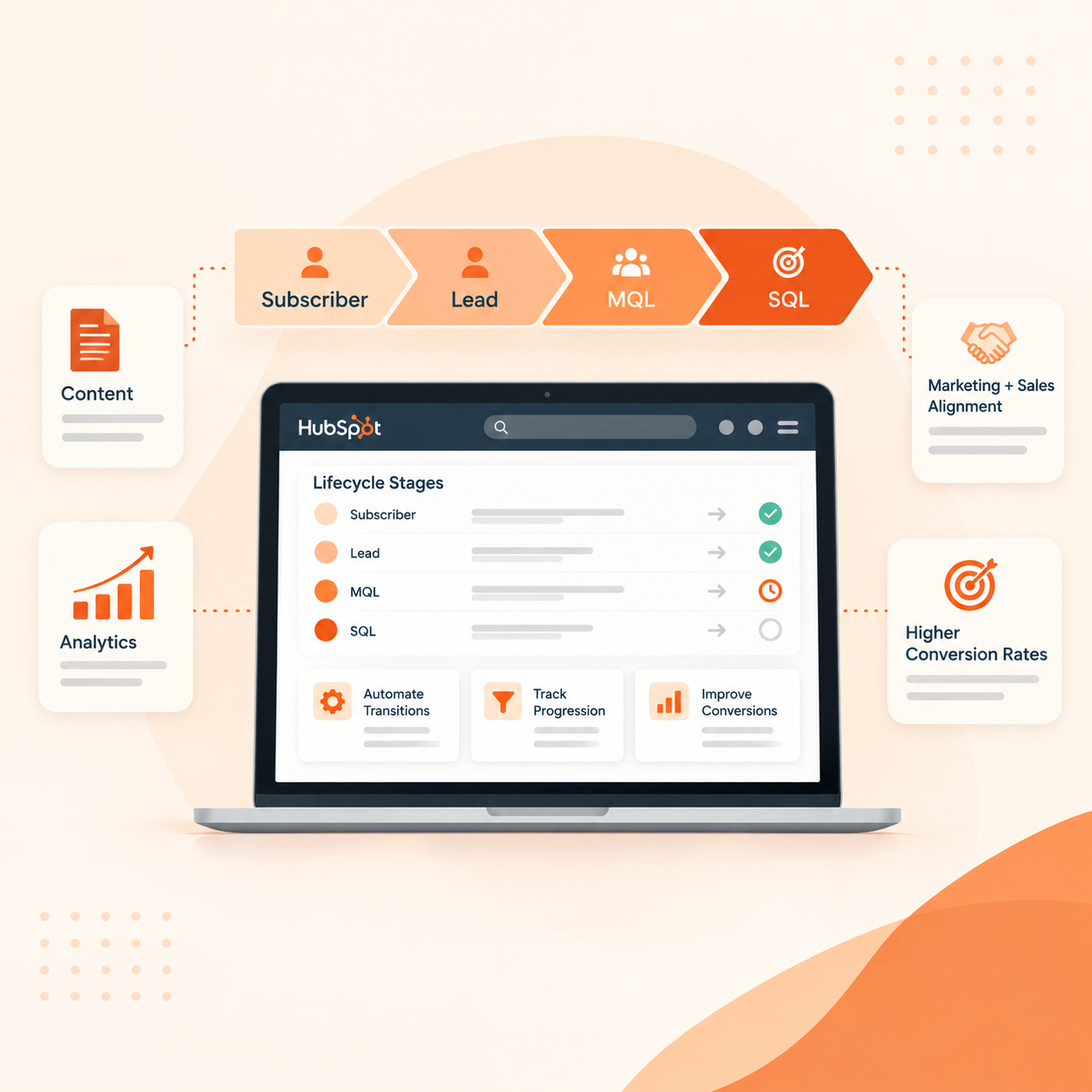
Using the lifecycle property in HubSpot allows you to categorize the contacts according to their lifecycle stage, namely subscriber, lead, MQL (marketing qualified lead), SQL (sales qualified lead), opportunity and customer. An MQL is someone who fulfills a set of qualification criteria, whereas an SQL is someone you believe is a potential customer.
The stages can be adjusted for your needs, say, if you want to add a SAL (sales accepted lead) stage. Make sure to document all definitions for future reference.
Use HubSpot Automation to Make Lead Handoffs Consistent
Once the process is clear, HubSpot's tools can help your teams follow it consistently. Lead scoring helps prioritise contacts using information about their fit and engagement. For example, you might consider company size alongside actions such as visiting a pricing page or requesting a demo. Both teams should agree on the scoring rules.
Workflows can then handle routine actions, such as assigning an owner, updating a lifecycle stage, sending an internal notification or creating a follow-up task. Agree on a response time too, so receiving a lead comes with a clear next step.
Someone who subscribes to your newsletter might receive useful content over time. If they later request a demo, a workflow could notify sales and create a task with their contact details and area of interest. Sales can review their needs and confirm whether they qualify.
Clear ownership also prevents leads from being forgotten. If sales finds that a prospect has a later buying timeline, agree on when marketing should resume nurturing them and when sales should check back. Record the reason in HubSpot so the next person can understand the situation without starting the conversation again.
Tasks, meeting scheduling and deal pipelines also help sales manage the next conversation and record progress. Marketing can see what happened after the handoff and adjust its activity accordingly.
Measure Lead Quality and Revenue Together
Shared reporting gives both teams a more useful discussion than comparing separate spreadsheets. Alongside enquiry numbers, review how many leads sales accepts, how quickly they receive a response and how many become customers. HubSpot dashboards can help both teams follow these results.
Sales should also record why leads are rejected or delayed. If the same issue appears repeatedly, marketing can adjust its messaging, audience or forms. This feedback helps improve the next campaign.
HubSpot’s attribution reports can help show which recorded marketing sources and interactions receive credit for results. Some automation, scoring and reporting features depend on your subscription; deal revenue attribution requires Marketing Hub Enterprise.
Review the process regularly as your business grows. Lead criteria, follow-up steps and reports should change when your customers or sales process change.
Get support that fits the way your teams work
An effective HubSpot configuration illustrates how your organization deals with leads. This requires well-defined responsibilities, reliable information and staff who understand the tools well.
At Straight Growth, we will help you assess your current processes, agree on lifecycle stages and lead scoring, set up workflows and create dashboards. We also provide training for your team so they can manage leads and keep records correctly.
Contact Straight Growth about your current sales and marketing process. We can help you find places where leads are stagnating and help you come up with the next steps for setting up HubSpot.
FAQs
1. How does HubSpot CRM assist in uniting sales and marketing teams?
The HubSpot platform shares customer information including user behavior and stage it’s in, thus allowing both teams to follow the same procedures and collaborate when it’s time to divide the leads.
2. What does a qualified lead mean in HubSpot?
The term qualified lead stands for the lead that corresponds with the definition that has been jointly defined by the sales and marketing teams and that includes things such as industry and position, or the degree of interest and readiness to buy the product. The life cycle of the leads in HubSpot helps the teams keep track of the leads.
3. What processes can HubSpot employ to facilitate lead transfer?
HubSpot has multiple workflows designed for automating a wide array of processes to facilitate lead transfer. Depending on the user's subscription and configuration of the system, HubSpot can assign leads, update parameters, send notifications to users, and generate future tasks.
4. What are the key metrics for measuring the alignment of sales and marketing?
In order to assess their collaborative results, teams can track metrics such as lead acceptances rates, response time, lead-to-client rates, sales layers contribution, and financial performance.
5. How often should sales and marketing teams make reviews of their HubSpot activities?
In general, HubSpot performance review should be a regular thing, for example, once a month and anytime there’s a significant change in the target audience, sales workflow, or other lead qualification criteria.